

Understanding Number Systems: Binary to Decimal Conversion
Learn how to convert binary numbers to decimal step-by-step! 🧮 Understand number systems with examples, common mistakes, and practical uses in computing.
Edited By
Emily Carter
Understanding how binary numbers convert into decimal is a fundamental skill, especially for finance professionals dealing with digital data systems. Binary, or base-2 numeral system, is a way of representing numbers using only two digits: 0 and 1. This contrasts with the decimal system, which uses ten digits from 0 to 9.
At its core, binary reflects the on/off or true/false states that computers use to process information. Each position in a binary number has a place value that doubles from right to left, starting with 2⁰, then 2¹, 2², and so on. This doubling place-value system makes the conversion to decimal straightforward once you understand the weight attached to each binary digit.
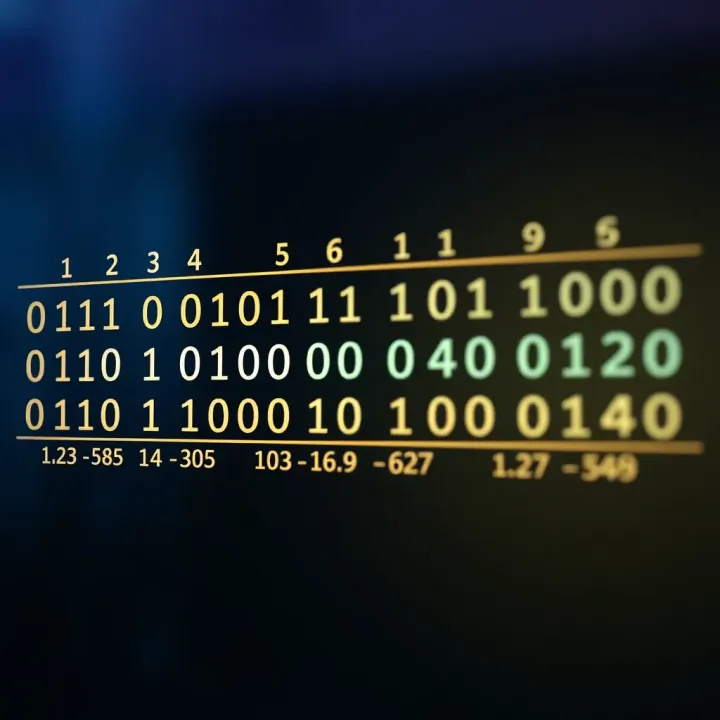
In binary to decimal conversion, each digit indicates whether its corresponding place value is included (1) or not (0).
Traders, investors, and financial analysts often work with systems like trading platforms, algorithmic trading tools, and data analysis software that internally use binary data. Grasping how binary numbers translate into decimal helps in understanding how raw data is stored and interpreted. For instance, digital signal information, financial data encoding, and error-checking codes rely heavily on binary logic.
Consider the binary number 1011.
List the place values from right to left: 2⁰ (1), 2¹ (2), 2² (4), 2³ (8)
Multiply each binary digit by its place value:
1 × 8 = 8
0 × 4 = 0
1 × 2 = 2
1 × 1 = 1
Sum the results: 8 + 0 + 2 + 1 = 11 in decimal
This simple step-by-step approach applies regardless of how long the binary number is.
Knowing this process helps when interpreting machine-level data, debugging financial programs, or even understanding price feeds transmitted through digital networks. It also builds a foundation for more complex topics like hexadecimal numbers, bitwise operations, and data encryption which frequently appear in financial technologies today.
By becoming comfortable with binary to decimal conversion, finance professionals can engage better with the technical aspects of their tools and systems, gaining clearer insights into the data that drives markets.
Understanding the binary number system is fundamental for anyone dealing with computing or digital technology. This system forms the backbone of electronic devices, including the computers used widely by traders, analysts, and investors. Grasping its basics not only aids in technical comprehension but also clarifies how data and instructions are stored and processed.
Binary numbers consist solely of two digits: 0 and 1. These digits represent the simplest form of information, commonly called bits. Unlike the decimal system, which we use daily and has ten digits (0–9), binary is built on just these two digits to reflect on or off states in digital circuits. This simplicity makes it ideal for electronic devices where signals exist as either voltage (high) or no voltage (low).
In digital electronics and computing, binary acts as the language that machines intrinsically understand. Every command, every data piece, whether a stock price or a financial transaction record, eventually breaks down into binary. Its reliability stems from physical constraints—electronic switches can easily distinguish between two states, reducing error rates even in complex processing tasks.
The difference between binary and decimal systems lies in their base values. While decimals operate on base ten, with places representing powers of 10, binary operates on base two. This means each position in a binary number corresponds to powers of 2. For example, the binary number 1011 translates to 1×2³ + 0×2² + 1×2¹ + 1×2⁰, which equals 11 in decimal. Recognising this distinction is key when converting numbers for programming or data analysis purposes.
A single binary digit or bit is the smallest unit of data in computing. For traders and finance professionals working with digital systems, understanding bits helps to interpret how information size and storage capacity are measured. For instance, bytes—consisting of 8 bits—form the standard chunk of data, crucial when assessing system performance or data transfer speeds.
Each bit’s position in a binary number signifies its weight or positional value, determined by powers of 2. This positional system makes it easy to calculate the decimal equivalent from binary digits. For example, the binary digits "110" hold values 1×2², 1×2¹, and 0×2⁰ respectively, summing to decimal 6.

Comparing binary place values to those in the decimal system reveals a difference in base but similarity in concept. Both systems assign increasing place values from right to left, but while decimal places multiply by 10, binary places multiply by 2. Keeping this in mind benefits anyone working with digital data, whether analysing software outcomes or managing database entries.
Grasping the binary number system’s basics lays a foundation to interpret how digital devices process numbers, an essential skill in today’s tech-driven finance environment.
Binary uses two digits: 0 and 1.
Each binary digit is called a bit.
Place value in binary is powers of 2, unlike decimal’s powers of 10.
Digital electronics rely on binary because it suits their on/off signalling.
This knowledge will help you better understand conversion methods and apply them practically in computing and financial technologies.
Understanding how to convert binary numbers to decimal is fundamental for anyone working in finance or tech-driven fields, especially given how digital systems process data. This conversion bridges the gap between the computer’s language and human-friendly numbers, which makes it easier to interpret data accurately.
Binary place value multiplication involves recognising that each digit in a binary number has a positional value represented by powers of two. Starting from the right, the first digit corresponds to 2⁰ (one), the second to 2¹ (two), and so on. Multiplying each binary digit by its positional weight gives the 'weighted value' for that place. This method allows you to break down complex binary strings into smaller, manageable calculations.
This approach is practical because it simplifies the binary sequence into a series of multiplications, making it easier to handle manually or programmatically. For instance, the binary number 1011 translates to (1×2³) + (0×2²) + (1×2¹) + (1×2⁰).
Summing the weighted values means adding up all the products from the previous step. This sum gives the decimal number equivalent of the binary input. It’s the final step and consolidates all the place values into a single, easy-to-understand figure.
Practically speaking, this summing process is straightforward but crucial. In financial computing, automated systems rely on this precise calculation to interpret binary data correctly. For example, the sum from 1011 is 8 + 0 + 2 + 1 = 11 in decimal.
Example conversion: Take the binary 11010. Start by assigning powers of two from right to left: 2⁰ to the rightmost digit, up to 2⁴ for the leftmost digit. Multiplying each digit by its power of two gives: (1×2⁴) + (1×2³) + (0×2²) + (1×2¹) + (0×2⁰), which equals 16 + 8 + 0 + 2 + 0 = 26 in decimal.
This example highlights how a seemingly complex binary number converts into a simple decimal, illustrating the value of grasping this method.
Using subtraction method: This technique starts from the largest power of two less than or equal to the decimal number, subtracting it repeatedly to determine each binary digit as 1 or 0. For example, to convert decimal 19 to binary, identify the largest power of two less than or equal to 19, which is 16 (2⁴). Subtract that and assign 1 to that place. Continue with the remainder until you reach zero.
This method can be helpful when you think from decimal back to binary — beneficial if you are verifying numbers or working in contexts where subtraction is simpler than multiplication.
Shortcuts for common binary patterns: Some binary numbers correspond to common decimal values and can be quickly recognised without full calculation. For instance, binary 1111 always equals 15, and 10000 represents 16.
Being familiar with such common patterns speeds up conversions, especially during fast-paced tasks like trading or programming where quick interpretation matters. This shortcut approach improves efficiency and reduces chances of errors in routine conversions.
Mastering both step-by-step methods and shortcuts enhances your numerical fluency, helping you manage digital data confidently in finance and technology environments.
Understanding how to convert binary to decimal plays a significant role in today's digital age, particularly for those engaged in computer programming and hardware design. The binary system underpins all digital technology, making these conversions essential for interpreting and managing data effectively.
Computers work with binary data because digital circuits have two states—on and off. This means every piece of information, from a simple number to complex instructions, is encoded in binary. Knowing how to convert these binary codes into decimal helps programmers understand the values their programs manipulate, especially when debugging or optimizing software.
Memory addressing relies on binary numbers as well. In computers, every byte stored has a unique address represented in binary. For example, a 32-bit system can address up to 4,29,49,67,296 memory locations, with each address as a binary number. Converting these addresses to decimal helps engineers and developers grasp which memory regions are being used or accessed.
Binary conversions are not limited to complex computing but extend to everyday digital devices. Your mobile phone, for example, processes images, sounds, and data through binary codes, which then translate into the interfaces and apps you interact with. Developers often convert binary data to decimal to ensure correct pixel counts, sound levels, and user inputs.
Communication protocols also rely heavily on binary codes. Network devices send data packets encoded in binary; routers and switches decode these continuous streams. Conversion into decimal values allows network administrators to monitor traffic, diagnose issues, and optimise performance. Protocols like TCP/IP and Bluetooth rely on this binary-to-decimal conversion throughout data transmission.
From system memory to the devices in your pocket, binary to decimal conversion acts as the language bridge that keeps digital technology functional and efficient.
Mastering binary number conversion is fundamental for anyone working in computing, finance, or data analysis. It builds a clear understanding of how digital systems operate and ensures accurate interpretation of data represented in binary code. Getting the hang of this skill equips you to quickly convert and verify values without depending on electronic tools, which is especially handy when working with low-level programming or debugging.
One of the most frequent errors people make is misunderstanding the place values in a binary number. Unlike the decimal system, where each digit represents powers of ten, binary uses powers of two. For example, in the binary number 1011, the rightmost digit isn’t simply a '1' but represents 2 to the power 0, which equals 1. Moving left, the next digit represents 2 to the power 1 (2), then 2 to the power 2 (4), and so on.
Misjudging these place values leads to incorrect decimal equivalents. For instance, treating 1011 as if it were decimal 1011 results in a vastly different number. Practicing correct place value recognition helps prevent costly errors, especially if you deal with machine-level data or financial systems where binary-coded information is essential.
Leading and trailing zeros in binary numbers often get ignored, but they hold importance. Leading zeros don't change the number's value but maintaining them can be critical when interpreting fixed-length binary data. For example, a byte (8 bits) might represent the binary 00001010 rather than just 1010. Omitting those zeros can cause errors in systems that expect a specific bit length.
Trailing zeros indicate the value’s precision in certain contexts. In fixed-point binary numbers or registers, these zeros affect how the number maps to decimal values. For traders or financial analysts working with binary-coded precision data, ignoring these zeros can change computations or signal interpretations.
Engaging with practical exercises sharpens your binary conversion skills. Try converting binary numbers of varying lengths and complexities to decimals manually. For example, take 1101101 (which equals 109 in decimal) and verify your steps by breaking down each bit’s place value.
Regular practice builds confidence and speed, critical when analysing data on the fly or developing algorithms that rely on binary-to-decimal conversions. Attempting word problems that involve converting binary-coded decimal (BCD) numbers, or working on binary arithmetic, further deepens your understanding.
Certain online platforms and apps provide interactive environments to practice and validate your conversions. Tools like "Binary to Decimal Converter" calculators help verify results quickly. Apps such as "Binary Fun" or "Bitwise" gamify the learning process, which can make mastering binary conversions more engaging.
Utilising these resources alongside manual practice ensures comprehensive learning. They offer instant feedback and help identify frequent mistakes, making the entire process smoother for those aspiring to apply binary knowledge in finance, trading algorithms, or computer programming.
Learn how to convert binary numbers to decimal step-by-step! 🧮 Understand number systems with examples, common mistakes, and practical uses in computing.
📚 Learn binary addition with clear steps and convert between binary and decimal easily. Ideal for students and tech enthusiasts in India's digital education space.

Learn to write a C program converting decimal to binary with step-by-step explanations, code optimisation tips, and input validation techniques suited for Indian coders 🖥️🔢

Explore binary, hexadecimal, octal, and decimal number systems with practical insights on conversions and applications in computing 🖥️, maths, and tech fields for better understanding.
Based on 6 reviews